
Find Hidden Objects - Spot It!
Yolo Game StudiosPuzzle
4.95.84K Reviews
- Version
- 3.52
- Installs
- 10.00M
- Age Rating
- Everyone
Screenshots
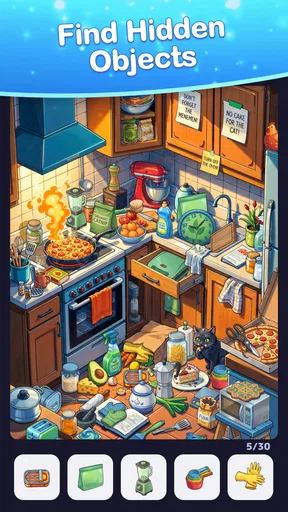
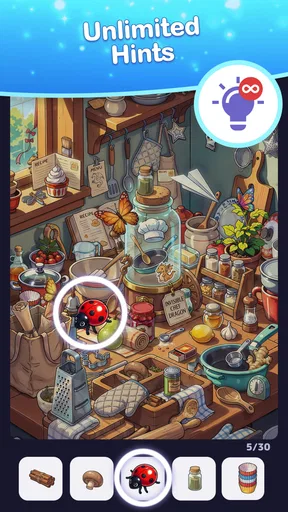
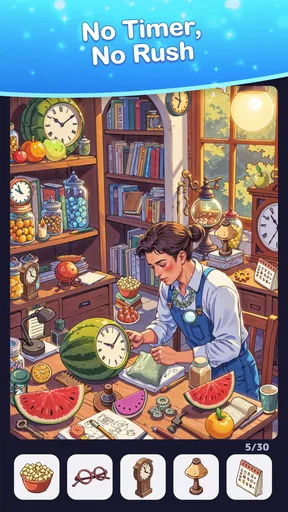
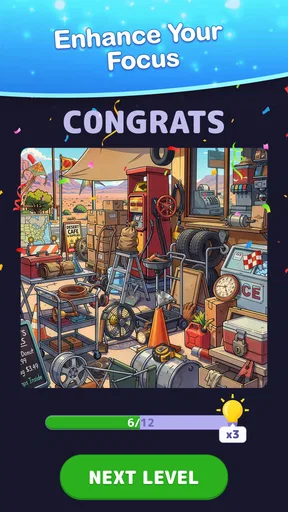
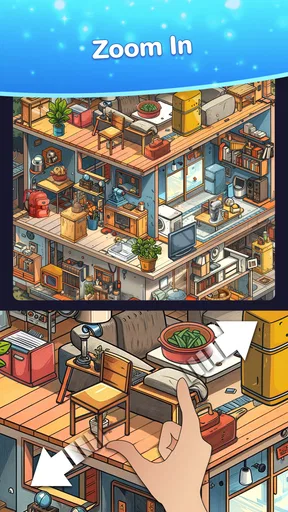
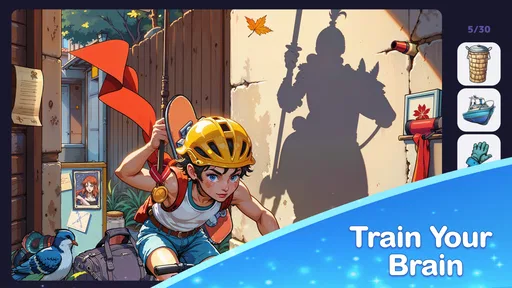


Our Review of Find Hidden Objects - Spot It!
 Analysis by Appyee
I spent time with Find Hidden Objects - Spot It! because its entire appeal rests on one simple ability: noticing what other people overlook. That sounds straightforward, but hidden-object puzzles can feel very different depending on how clearly the scenes are designed and how much pressure the game creates. Here, the experience is built around relaxing observation rather than fast reflexes, making it an easy game to open when I want something quiet and focused.
The basic idea is familiar. A scene contains objects that need to be located, and I scan the image until I recognize the requested details. The challenge is not complicated controls or a long chain of rules. It is the gradual shift from looking at the whole picture to examining small areas with purpose. That makes this a puzzle game in the most literal sense: progress depends on attention, patience, and the ability to separate useful visual information from background decoration.
What I like most is that the central capability remains easy to understand from the first moment. I do not need to learn a character system, manage resources, or remember a complicated story. I simply look, compare, and decide whether a shape belongs to the objective. For players who enjoy visual searches, that directness is a strength. It also explains why the game can work for a wide age range, reflected in its Everyone content rating.
How the hidden-object search feels in everyday play
In everyday play, I find the search works best when I treat each scene as a small visual task rather than something to rush through. A consistent scan helps me avoid circling back over the same details, while a short pause can make familiar-looking shapes easier to notice. That practical rhythm also makes it clearer what keeps the puzzles engaging—and where their challenge can start to feel less satisfying.
Turning a busy picture into a manageable puzzle
In practice, the hardest part is rarely seeing the entire scene. It is knowing where to concentrate first. When I begin by sweeping randomly across the picture, I tend to revisit the same areas and miss objects sitting in plain sight. A better approach is to divide the image into sections, inspect each section once, and then return only to places that contain similar colors or confusing shapes. This small change makes the game feel less like guessing and more like a repeatable observation exercise.
I also found that the visual search rewards a slower rhythm. Looking at the screen from a short distance can make small details blend together, while briefly changing my viewing distance helps separate foreground objects from decoration. I do not treat every scene as a race. Instead, I use a steady scan from left to right or top to bottom. That is particularly useful when I am playing during a short break and want a calm activity rather than something demanding constant rapid input.
The most useful habit is to name what I am looking for before searching. If the target is a particular kind of object, I first imagine its outline, then its likely color, and finally the places where it would make sense visually. This prevents me from tapping at every vaguely similar mark. It also gives the game a little more depth than its short description suggests, because success comes from building a visual hypothesis and testing it against the scene.
Why the simple format can be surprisingly absorbing
Hidden-object games often look casual, yet they can hold my attention longer than expected because each discovery changes the picture. At the beginning, a scene feels crowded. After finding several targets, I start noticing patterns in the artwork and become more confident about where the remaining objects might be. That gradual clearing of visual noise is satisfying without requiring a complicated reward structure.
This is also where the game differs from a standard match-three puzzle. Match-three games usually ask me to react to changing combinations and plan moves around a board. This title asks me to pause and inspect a fixed visual space. Compared with a word puzzle, it places less emphasis on vocabulary and more on shape recognition. Compared with a fast arcade game, it is far more forgiving of a player who wants to think before acting.
That distinction matters when choosing a game for a particular mood. If I want quick reactions, dramatic progression, or a strong narrative, this is not the natural choice. If I want to train my attention on a single image while keeping the rules light, the format fits much better.
A realistic use case: a quiet ten-minute break
My favorite situation for this game is an ordinary waiting period: sitting with a coffee, waiting for an appointment, or taking a short pause between tasks. I can start without preparing a strategy, play at my own pace, and stop after a small amount of progress. The search mechanic gives my mind something concrete to do, but it does not demand the emotional commitment of a competitive game.
It can also suit families who want a visual activity that is easy to explain. An adult can help a younger player by suggesting a search pattern rather than giving away the answer. For example, instead of pointing directly at an object, I might say, “Check the upper corner and compare the small shapes.” That turns a single puzzle into a shared observation exercise. The Everyone rating supports this broad accessibility, although individual comfort with small visual details will still vary.
For older players or anyone who gets tired of rapid touch controls, the slower format may be welcome. The game is less about dexterity and more about sustained visual attention. I would still take breaks if my eyes feel strained, especially during longer sessions, because searching a detailed scene can become tiring even when the gameplay itself is relaxing.
What the developer’s approach means for the experience
Yolo Game Studios has kept the focus on the search rather than surrounding it with a heavy explanation. That gives the game an approachable character. I can understand the purpose immediately, and the low entry barrier is one reason it has reached over ten million installs and an average rating of 4.8 from around 381 thousand ratings. Those figures suggest that the straightforward format connects with a large audience, though popularity alone does not guarantee that every player will enjoy the same visual style or pace.
The current version is 3.25, and the game requires Android 8.0 or later. For someone deciding whether to install it, those details are practical rather than decorative: compatibility should be checked before expecting the game to run on an older device. The game is free to install, which makes trying the core experience easy, while in-app purchases range from $1.99 to $99.99 per item. I would approach those optional purchases carefully and decide in advance whether I am comfortable spending money on extra convenience or progression-related items.
Where the experience can lose its calm
The same simplicity that makes the game inviting can also become its main limitation. Players who need constant novelty may feel that searching similar scenes becomes repetitive. The pleasure depends heavily on enjoying the act of looking itself. If I am not in the mood to inspect details, there is no elaborate story or complex system to pull me forward.
There is also a fine line between a satisfying challenge and visual frustration. An object can be difficult because it is cleverly integrated into the scene, or difficult because it blends into the artwork so closely that the search feels arbitrary. When I cannot tell which of those situations I am facing, my patience drops. This is why I prefer using a systematic scan before reaching for help or tapping repeatedly. It gives me confidence that I have genuinely searched rather than simply missed an area.
Another trade-off is the free-to-play structure. The free entry point is useful, especially for a casual game, but the presence of purchases means players should pay attention before confirming anything. For children, I would use appropriate device-level purchase controls and make the spending rules clear. The game’s age rating makes it broadly accessible, but age suitability and spending independence are separate questions.
Practical techniques that improve the search
The first technique I recommend is a four-zone sweep. I mentally divide the scene into upper-left, upper-right, lower-left, and lower-right areas, then search each zone without jumping around. This reduces duplicate checking and makes it easier to remember where I have already looked. It is especially helpful when the image contains many similar colors.
The second is silhouette-first scanning. Before focusing on texture, I look for the outline of the target. A small object may be partly hidden by its surroundings, but its outer shape can still stand out. Once I see a possible match, I check its internal details before selecting it. This prevents mistakes caused by objects that share a color but not the correct form.
The third is a pause-and-reset method. If I have searched for a while without progress, I stop looking at the exact spot where I expect the answer to be. I look across the entire scene for a few seconds, then return with a fresh visual pass. Continuing to stare at one area can make the brain filter out the same detail repeatedly. A reset is often more effective than tapping everywhere.
These methods are not hidden buttons or special systems; they are ways to use the game’s central capability more intelligently. That distinction is important. The value comes from how the player approaches the scene, not from pretending that the game offers a deeper control scheme than it does.
Who will get the most from it
I would recommend this game to people who enjoy visual puzzles, casual players who want a low-pressure activity, and families looking for something that can be explained in seconds. It is also a good fit for anyone who likes the satisfaction of completing a focused task without needing to memorize rules. The free price makes it easy to test, and the broad age rating lowers the barrier for shared play.
It may be particularly useful for players who prefer games that can be paused mentally at any time. I can search carefully, put the phone down, and return without losing the basic idea of what I was doing. That makes it more flexible than many timed puzzle games. It is not a replacement for a structured brain-training program, but it can provide a gentle way to practice sustained attention during everyday downtime.
I would skip it if my main goal is competition, multiplayer interaction, a strong narrative, or fast-changing challenges. A traditional logic puzzle may be better for someone who wants deduction with clear rules and measurable steps. A match-three game may suit someone who prefers constant movement. A word game may be a stronger choice for players who want language practice. This title earns its place by doing one thing clearly: asking me to observe a scene until hidden details become visible.
My recommendation after using it
Find Hidden Objects - Spot It! works best when I treat it as a calm visual search rather than a game I need to rush through. Its strongest quality is the direct connection between attention and progress. I look more carefully, I find more objects; I lose focus, and the scene becomes difficult again. That makes each successful discovery feel earned without making the rules intimidating.
The main compromises are equally clear. Repetition can appear if I do not enjoy searching for its own sake, and the free-to-play format requires sensible attention around optional purchases. Small visual details may also become tiring during long sessions. None of those issues cancel out the appeal, but they define the kind of player who will enjoy it most.
With over five thousand reviews and a large installed audience, the game has clearly found people who appreciate this style of puzzle. My own view is more specific: I would recommend it to a friend who wants a quiet, accessible observation game for short breaks, especially if they like improving their search method from scene to scene. The best reason to try it is not complexity, but the simple satisfaction of making a crowded picture suddenly make sense.
Privacy and Permissions
See what permissions an app requests and how it handles your data.
- Wi-Fi connection information
- view Wi-Fi connections
- Other
- view network connections, full network access, run at startup, control vibration, prevent device from sleeping, Google Play license check
Verdict
Strengths of Find Hidden Objects - Spot It!
- Simple controls make it easy for players of all ages to start quickly.
- Many scenes provide a relaxing way to improve visual attention.
- Short levels work well for quick gaming sessions.
- Hints can help when an object is difficult to locate.
- Bright artwork makes hidden items easy to distinguish.
Limitations of Find Hidden Objects - Spot It!
- Some levels may feel repetitive after extended play.
- The difficulty can vary noticeably between different scenes.
- Hints may be limited or require watching advertisements.
- Small objects can be challenging to spot on smaller screens.
- Progress may feel slow for players seeking fast-paced gameplay.
Similar Picks in This Category
View All
Block Blast!
HungryStudio4.8

Braindom: Brain Games Test
Lahana Game Studio4.6

AMAZE!
CrazyLabs LTD4.6

Sudoku - Classic Sudoku Puzzle
Oakever Games4.7

Art Puzzle - Puzzle Games
Easybrain4.8

Amaze GO!
Oakever Games4.9
Frequently Asked Questions
What is Find Hidden Objects - Spot It!?
Find Hidden Objects - Spot It! is a casual puzzle game focused on observation and attention to detail. Each level presents a detailed scene containing objects that are cleverly concealed in the artwork. Your goal is to locate every requested item, usually within a limited amount of time or attempts. The game is easy to understand, but later stages can become surprisingly challenging as the scenes grow busier and the objects become harder to recognize.
How do you play Find Hidden Objects - Spot It!?
Gameplay is straightforward: examine the illustrated scene, compare it with the list of objects you need to find, and tap each item when you spot it. The game rewards careful searching rather than fast reflexes, although some levels may include time pressure. Players should zoom in mentally on crowded areas, check unusual shapes and colors, and avoid random tapping, since incorrect selections may result in penalties depending on the level or game mode.
Is Find Hidden Objects - Spot It! suitable for children?
The game is generally suitable for children, teenagers, and adults who enjoy relaxed visual puzzles. Its basic controls are simple, and the hidden-object format can help encourage concentration, visual recognition, and patience. However, parents should review the app’s age rating, advertising, and in-app purchase details before allowing younger children to play. Some scenes may also become difficult enough that children could need occasional hints or assistance.
Does Find Hidden Objects - Spot It! work offline?
Many hidden-object levels may be playable without a constant internet connection once the necessary game content has loaded, which makes the app convenient for travel or areas with limited connectivity. Nevertheless, online access may still be required for advertisements, optional rewards, updates, cloud features, or downloading additional levels. Offline behavior can vary between versions and devices, so it is best to test the game after installation rather than assume every feature will work without internet.
Is Find Hidden Objects - Spot It! free to download and play?
Find Hidden Objects - Spot It! can typically be downloaded at no initial cost, but free access may be supported by advertisements and optional in-app purchases. Players may encounter ads between levels or after requesting certain bonuses, while purchases could provide hints, remove advertising, or unlock additional content. Before downloading, check the current store listing for pricing, permissions, and purchase information, especially if the device is shared with children.
Play our best games!


